

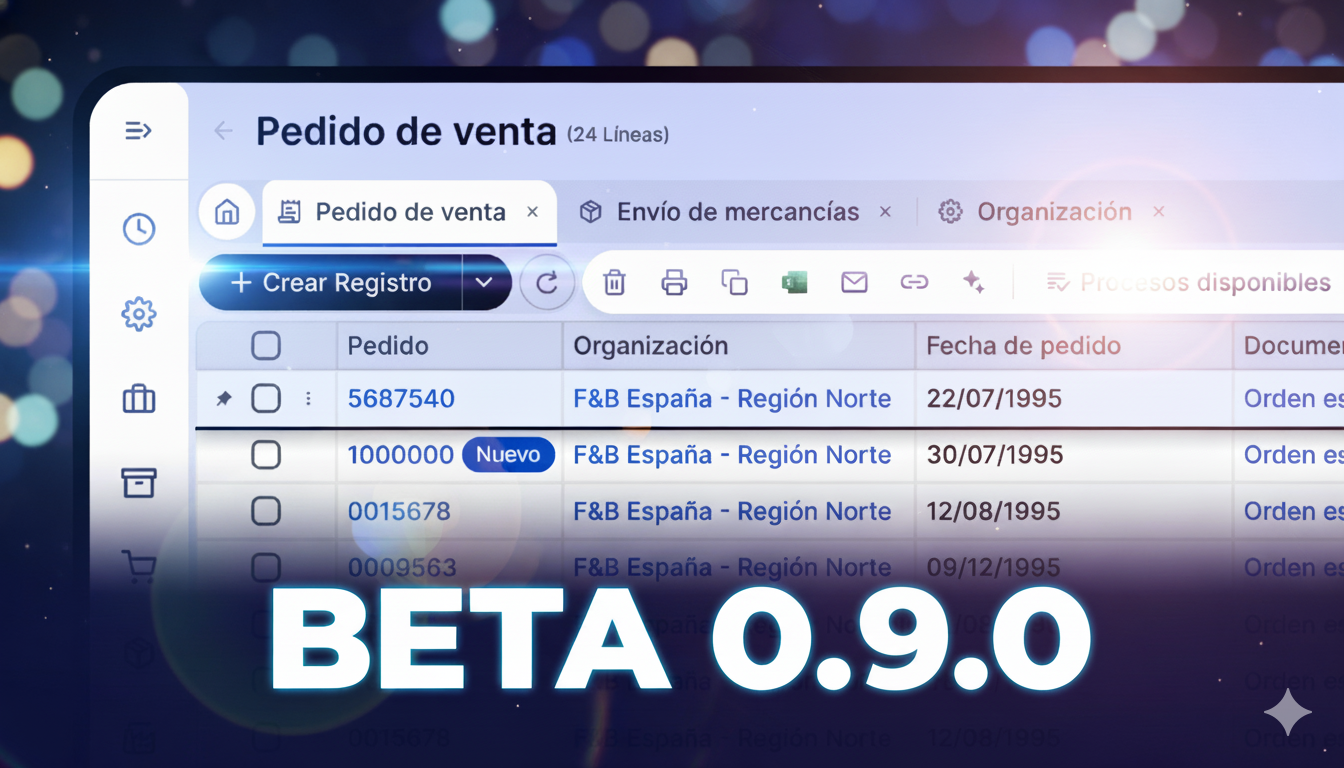
🚀 New Etendo Interface Beta 0.9.0: targeted improvements you can already try
This post does not focus on the general redesign — already presented previously — but on the specific features that are already available, officially documented, and designed to improve daily productivity from day one.
Navigation, persistent state, and Deep Linking
One of the most relevant improvements in this beta is the evolution of navigation within the ERP:
- Links to specific records and tabs, allowing direct access via URL.
- Persistent grid state within each tab, preventing the loss of filters or configuration when navigating.
- Fixes for navigation and refresh issues after saving records.
This enables a more collaborative use of the ERP: sharing a link no longer means “enter the system and search”, but going straight to the right data.
Grids and data handling: faster, more powerful
Grids receive key improvements that directly impact daily work:
- Edit in Grid functionality without opening forms.
- Export data to CSV for external analysis.
- Column summary functions, such as totals and aggregates.
- Visual fixes in columns and the status bar.
These improvements reduce clicks, windows, and intermediate steps — especially valuable in environments with large volumes of data.
Advanced filters: complex conditions, precise data
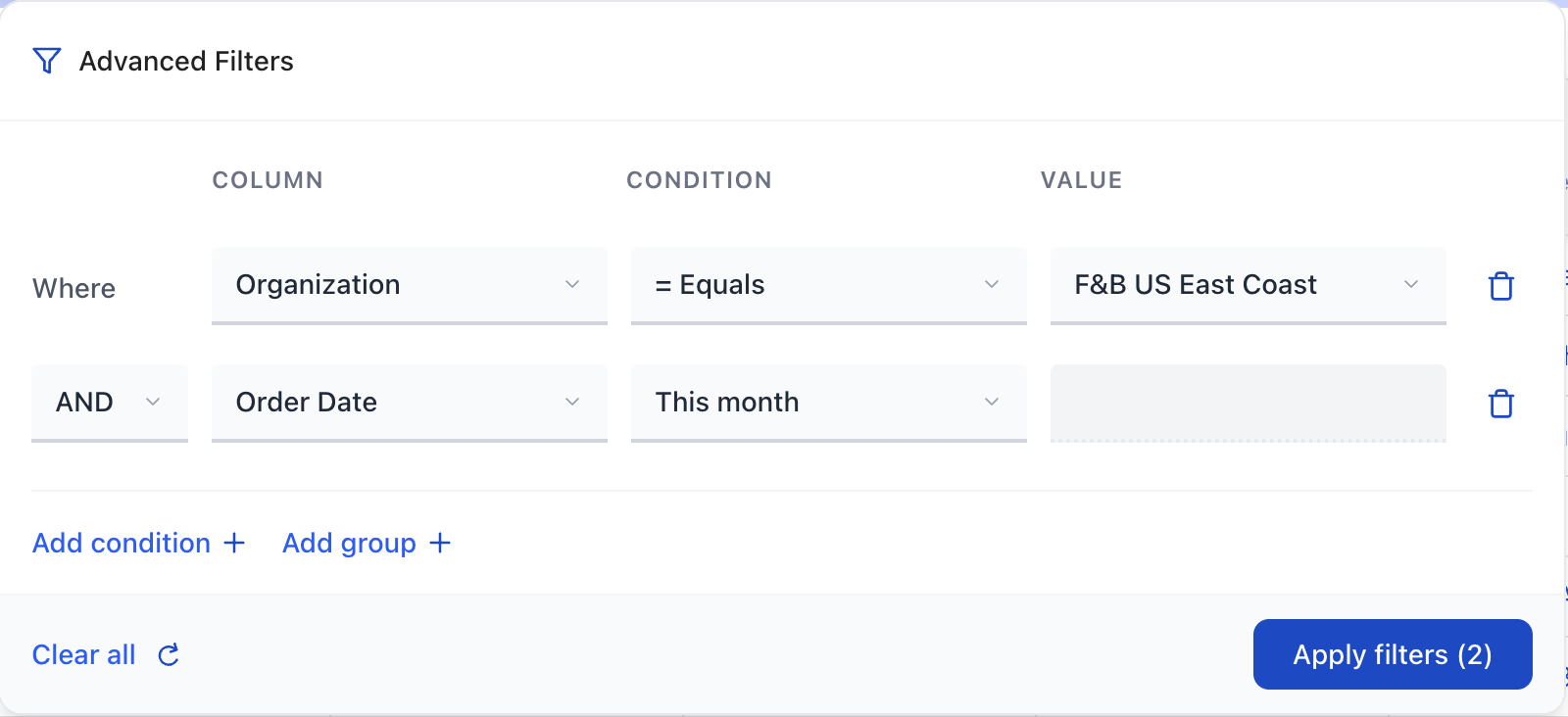
One of the most powerful features introduced in this beta is the new advanced filtering system, which takes data analysis inside the ERP to the next level.
It is now possible to:
- Define complex conditions across multiple columns.
- Combine filters using AND / OR, and even group conditions.
- Use improved date pickers, with better interaction and autocomplete.
- Apply default filters and sorting when a grid is loaded.
This allows users to build much more precise queries directly from the interface, without relying on additional reports or exporting and filtering data in Excel.
For advanced users and analytical profiles, this improvement represents a clear advantage over the classic interface.
More robust and consistent forms
The beta also fixes behaviors that previously affected user experience:
- Fields no longer display technical IDs after a failed save, but readable identifiers instead.
- Improved autocomplete execution when interacting with date fields.
- The Linked Items section was added to the Form View, making it easier to navigate between related records.
Less confusion, fewer errors, and greater clarity when working with critical data.
Tree View and hierarchical data
For complex hierarchical structures, the UI introduces important improvements:
- Fixes to Tree View behavior within sub-tabs.
- Greater consistency when navigating hierarchical records.
This is essential for modules such as inventory, accounting, or organizational structures.
Attachments: redesign and drag & drop on records
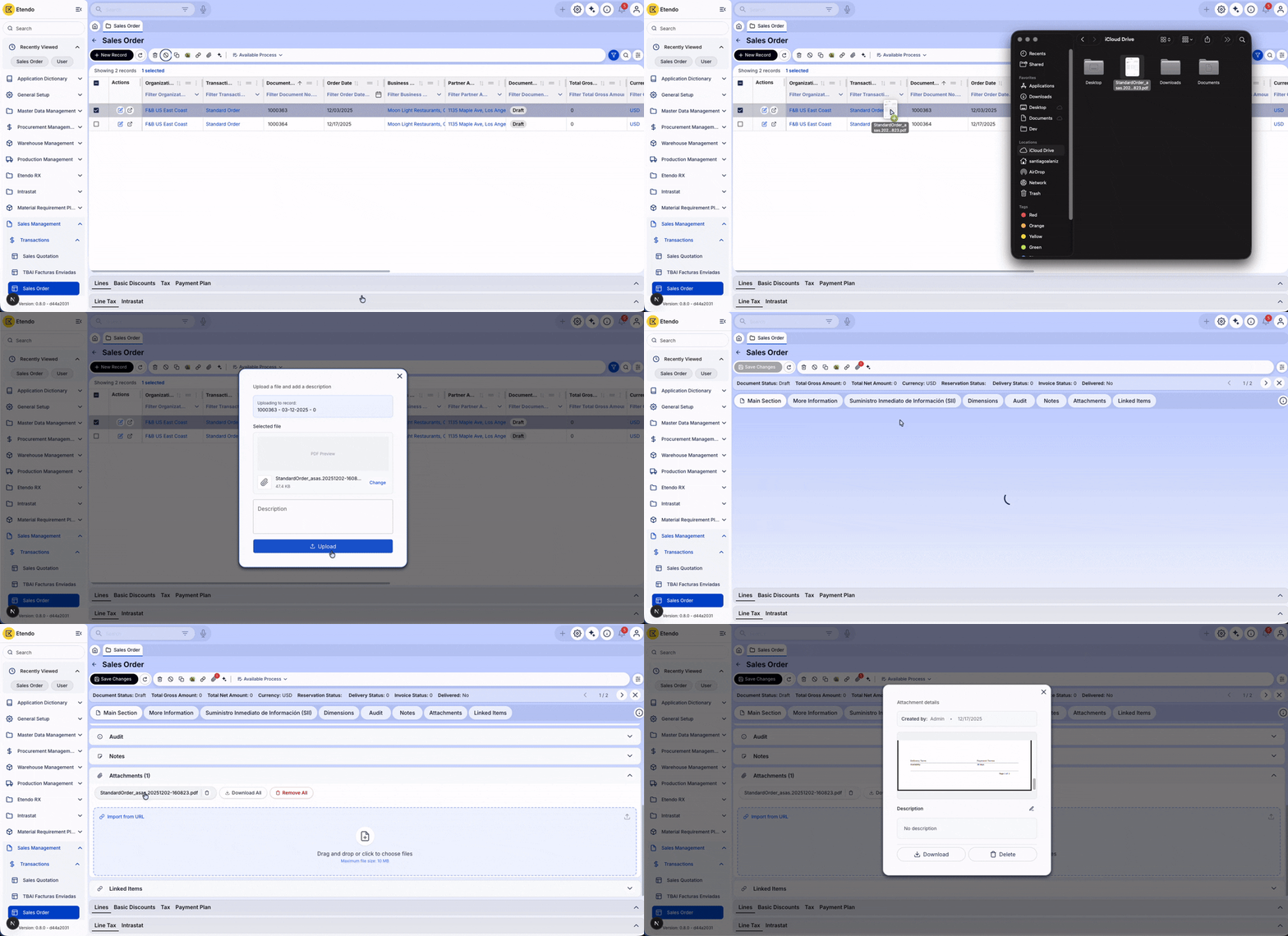
Attachment handling enters a new phase:
- Initial redesign of the attachments section.
- Drag & drop directly onto grid records.
- Improved visual experience and attachment preview.
A key improvement for companies managing contracts, invoices, or operational documentation.
UI, UX, and customization
Small details that make a difference:
- Favicon customization with a colored badge, ideal for distinguishing environments (TEST / PROD).
- Visual and UX adjustments that make the interface clearer and more modern.
Internationalization
- Fixes for language-related issues.
- Addition of missing translations.
This improves the experience in multilingual environments and distributed teams.
Beta, but ready to try
It is important to highlight that this version is beta, but it is fully functional and can already be tested in testing environments or live builds.
Trying it now allows you to anticipate the transition, validate real workflows, and provide feedback before the final release.
FAQ
Do advanced filters replace the current filters?
No, they extend them. They allow complex conditions without losing simplicity.
Can I edit data without opening forms?
Yes, thanks to the Edit in Grid functionality.
Can this beta coexist with the classic UI?
Yes. It is designed for testing and gradual adoption.
Summary
The new Etendo interface in beta version 0.9.0 proves its value not only in design, but in targeted improvements that directly impact productivity:
- Advanced filters with complex conditions
- Grid-based data editing and analysis
- Deep, shareable navigation
- More agile attachment handling
- More robust business processes
If you are currently using the classic interface, this is the ideal moment to start trying what’s coming next.
You May Also Like

Tired of slow and expensive integrations? Discover how MCP is changing the game
In today’s business world, where management systems must stay more connected than ever, one big qu

Download the exchange rate to any currency automatically: the automation that eliminates daily errors in your accounting
https://www.youtube.com/watch?v=kELGGAeEiv0 Updating exchange rates manually is a repetitive, error-

Stock History in Etendo: The Key to an Efficient and Error-Free Warehouse
In the world of warehouse management, accuracy and speed are no longer optional—they’re esse



Leave a Reply